
Share Content to Classes
Upload one PDF or video and create a learning module in multiple classes at once.
Share Content to Classes
Share Content to Classes lets administrators or teachers upload a single file (a PDF or a video) and create a learning module in multiple classes in one step. The file is stored once and referenced from each class's module list, so parallel batches of the same course (e.g. Physics – Batch A, Physics – Batch B) can all point at the same lecture without duplicating storage.
Access
- Sign in as an Administrator, Super Administrator, or Teacher.
- In the sidebar, open Content Management → Share Content to Classes
(
/dashboard/admin/bulk-upload).
Teachers see only the classes they are assigned to teach in the class picker.
Workflow
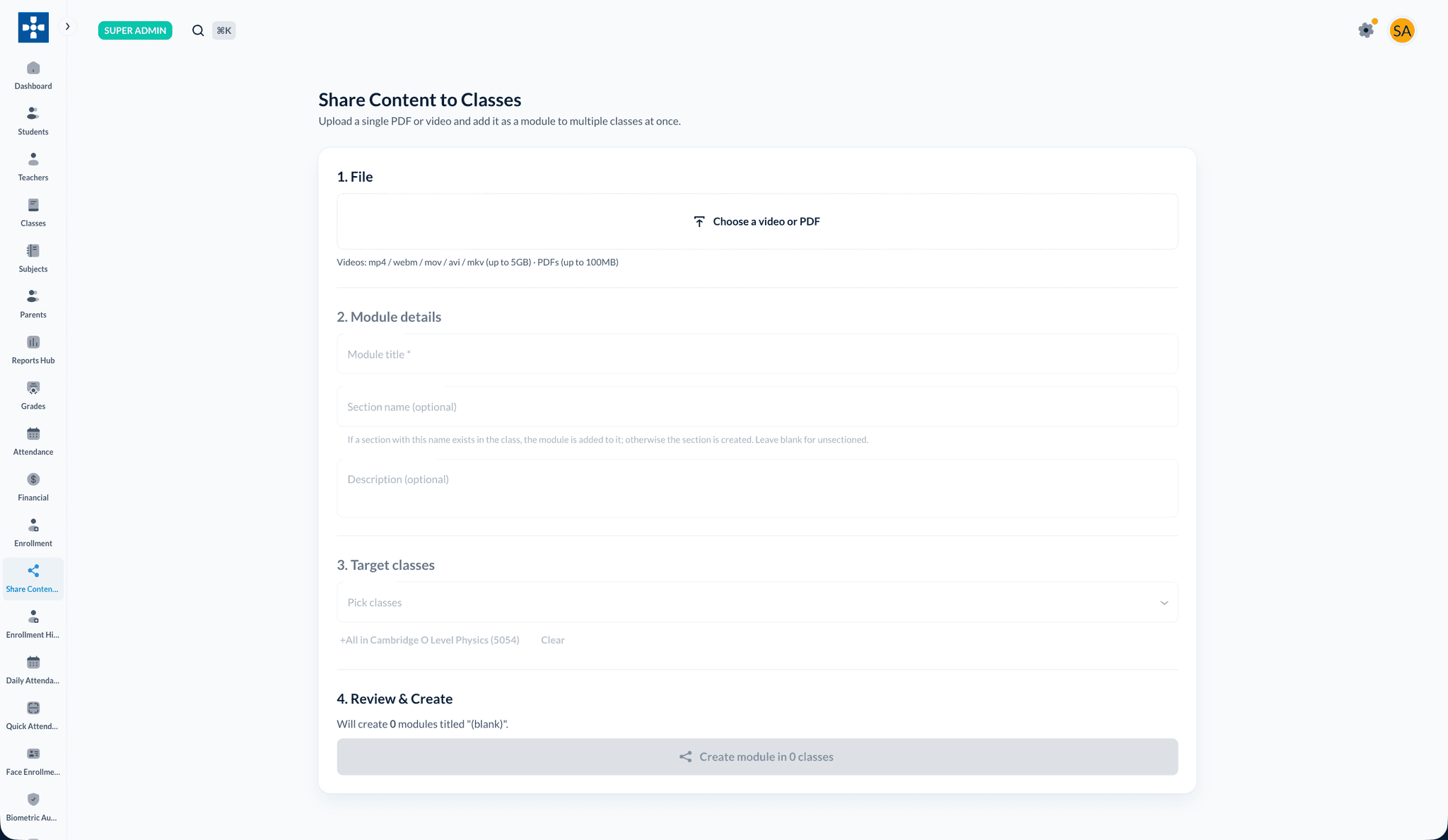
The page is a single-page wizard with four sections:
- File — Pick one video (
.mp4,.webm,.mov,.avi,.mkv, up to 5 GB) or one PDF (up to 100 MB). Upload begins immediately; large files use the chunked-upload path to clear proxy size limits. - Module details — The module title pre-fills from the filename (without extension). Optionally type a section name — if a section with that name already exists in a target class the module is appended to it; otherwise the section is created. An optional description is also supported.
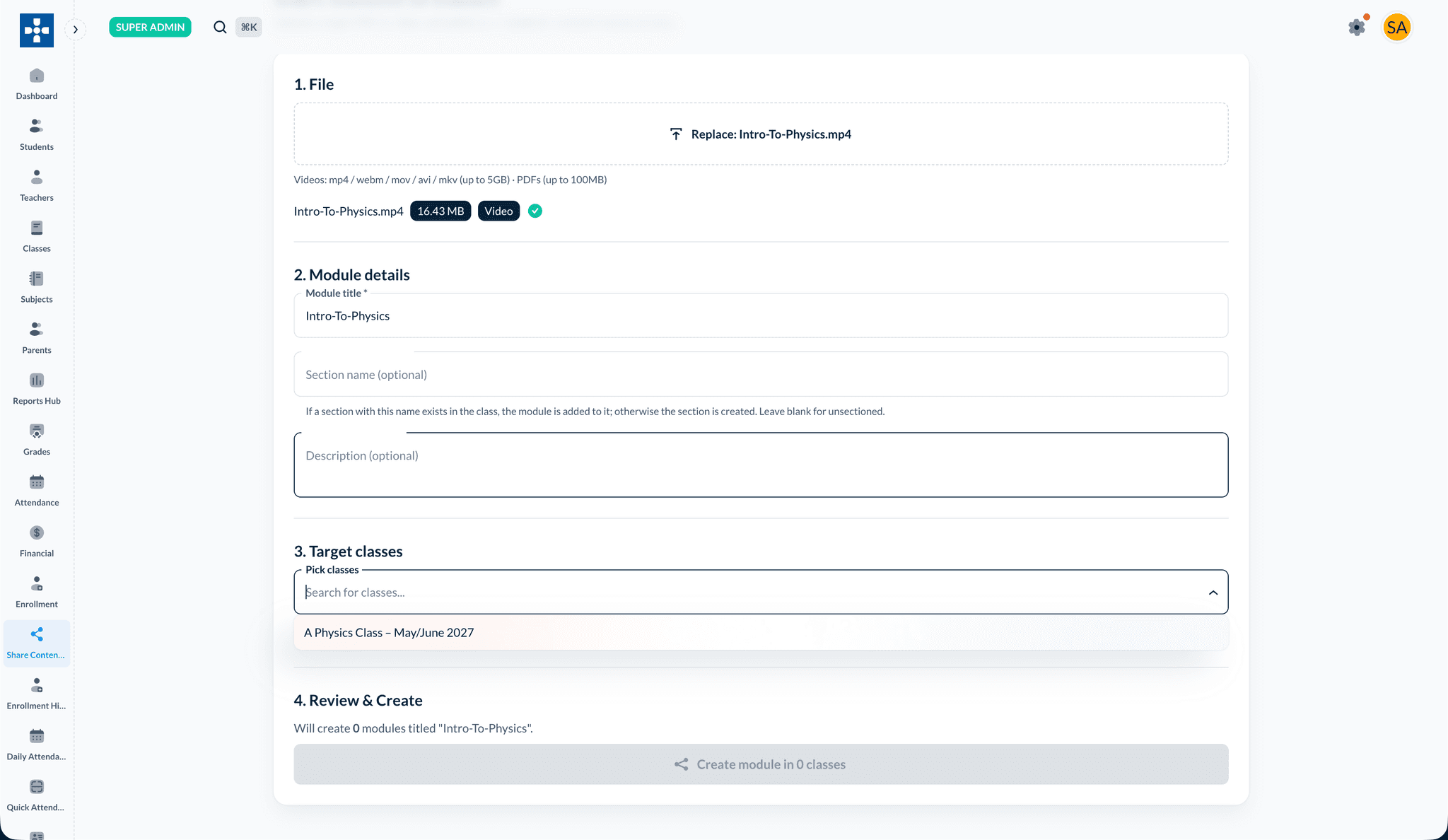
- Target classes — Multi-select picker. Shortcut buttons let you select all classes in a subject.
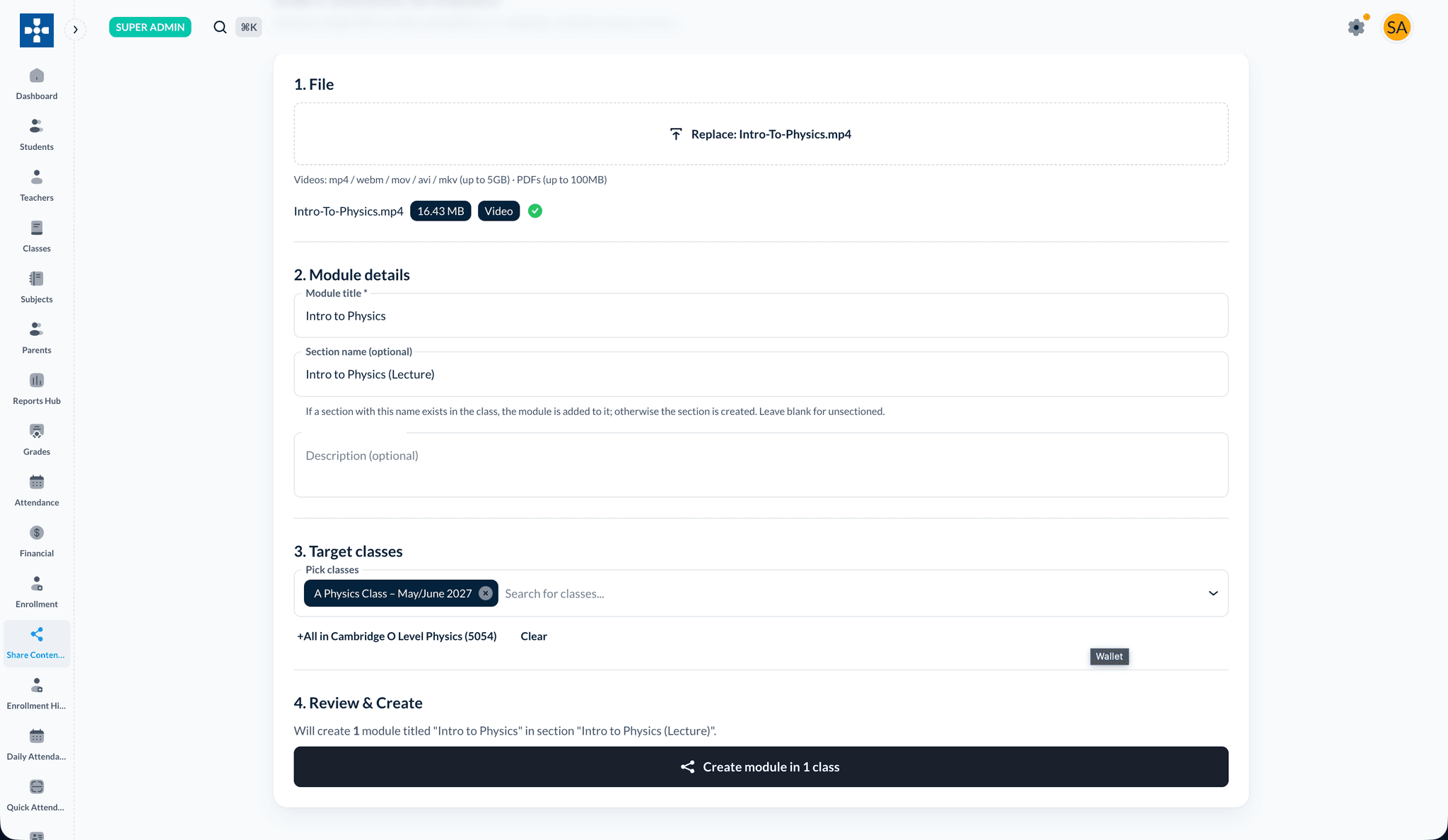
- Review & Create — One button creates one independent learning module in each selected class. Per-class success/failure is reported inline; "Retry failed" re-attempts only the classes that didn't succeed.
Independent module copies
Editing the module title, content, or drip rules in one class does not affect the same module in the other classes. The wizard creates independent rows that share the underlying file.
Patience on large files
Very large videos take time. Keep the browser tab open until upload completes. If the server restarts mid-chunked-upload, restart the upload from the beginning.
Related topics
- File Management & Library
- Course Content & Modules — for editing module copies after they're created (see the Teacher documentation)